





Probar 2D is an add-in for Autodesk® AutoCAD® that turns it into a fully featured reinforced concrete detailing system. Probar 2D offers similar functionality to PROKON Padds, only in the AutoCAD® environment. Probar 2D allows you to detail reinforcement directly in AutoCAD®. Drawings that were created in Padds can also be opened in Probar 2D to work with bending schedules generated by the PROKON concrete design modules. Reinforcement shape codes specified in the SA and UK detailing codes are included by default, and an easy-to-use rebar editor can be used to create custom shapes. Use multiple rebar types – single bars, bar groups, ABR (alternate reversed bars), staggered bars, stepped bars, and fanned bars – to add reinforcement to drawings.
PROKON 5.3 Probar 2D for AutoCAD® capabilities include:
- Detail rebar in AutoCAD®
- Automatic scheduling
- Input wizards
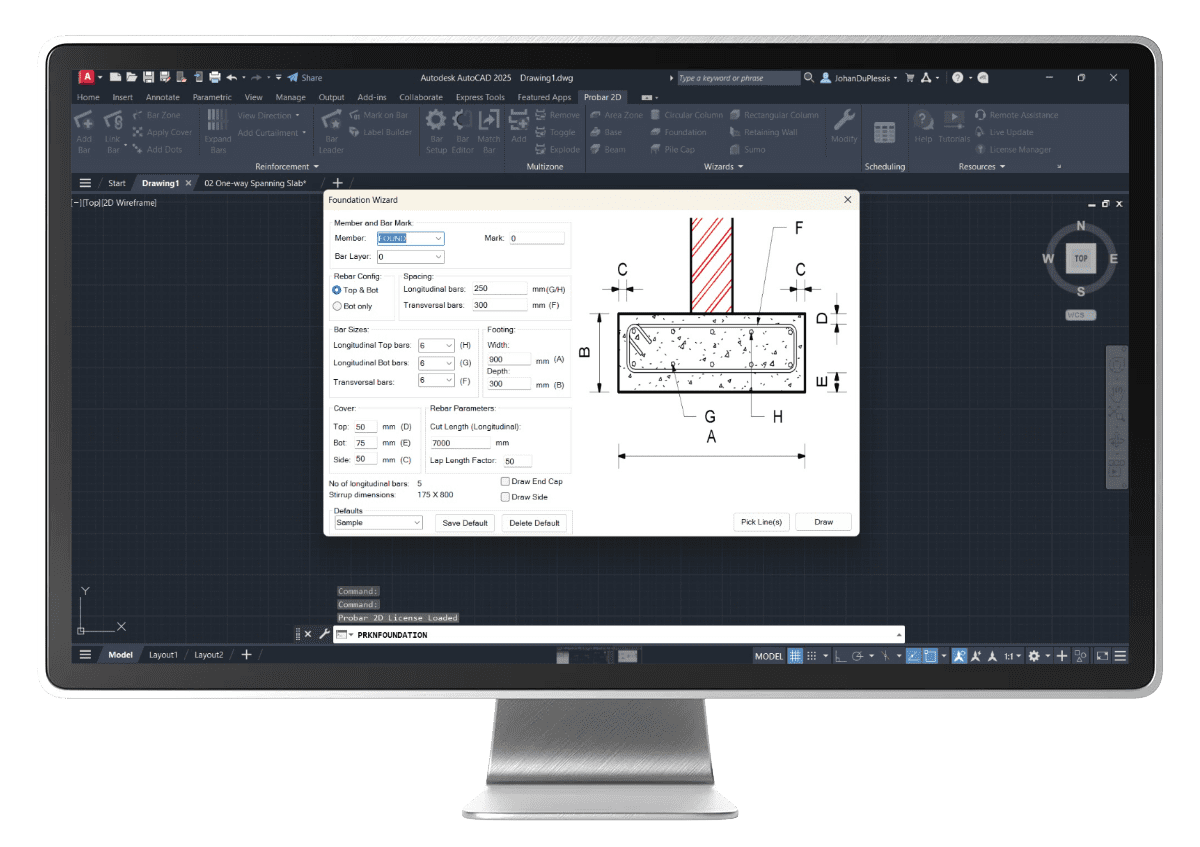
Wizards & Workflows
Probar 2D offers wizards to assist in detailing common structural parts that require repetitive actions. The wizards can read dimension- and rebar information from PROKON design module files and load the reinforcement into AutoCAD®.
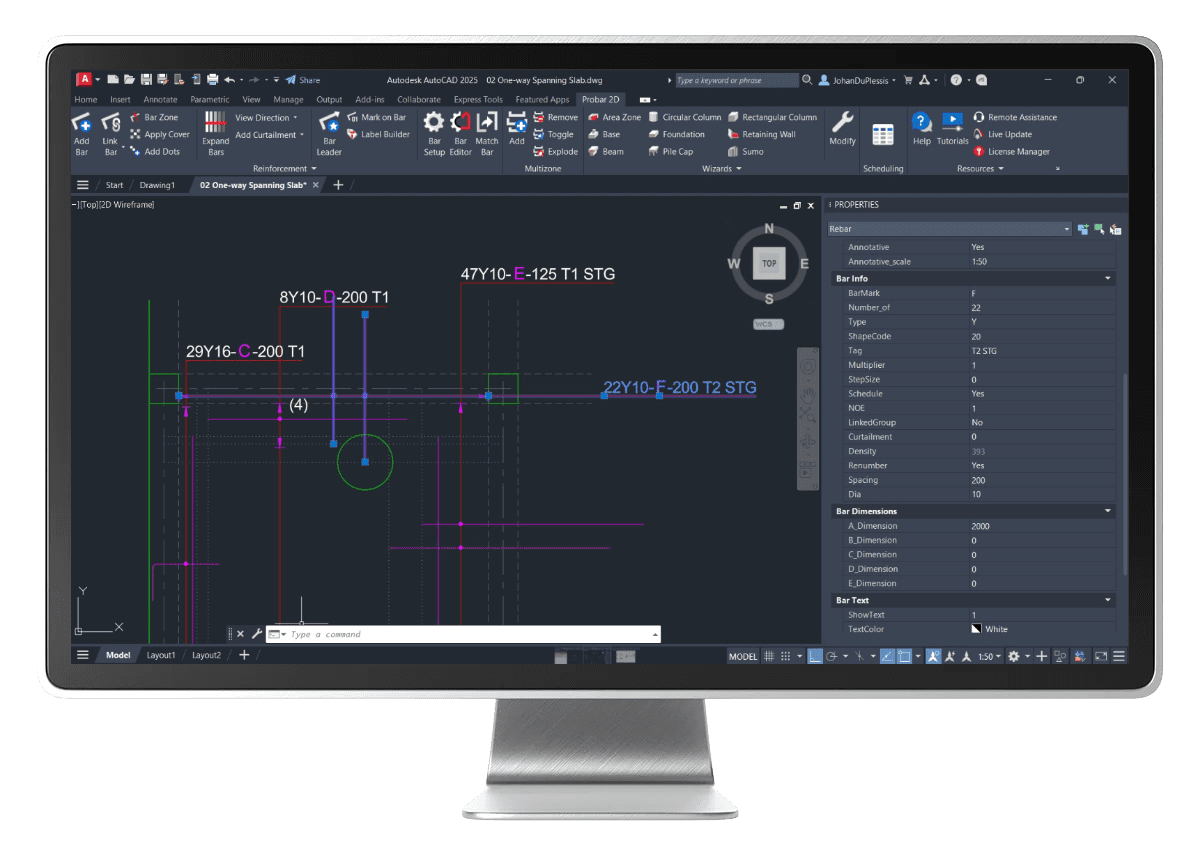
Rebar Properties Palette
Probar 2D uses the AutoCAD® Properties palette for rebar objects for easy editing of rebar properties such as diameter, shape code, and Bar dimensions. Like other objects, rebar objects can be filtered out of a multiple object selection by selecting type “Rebar”.
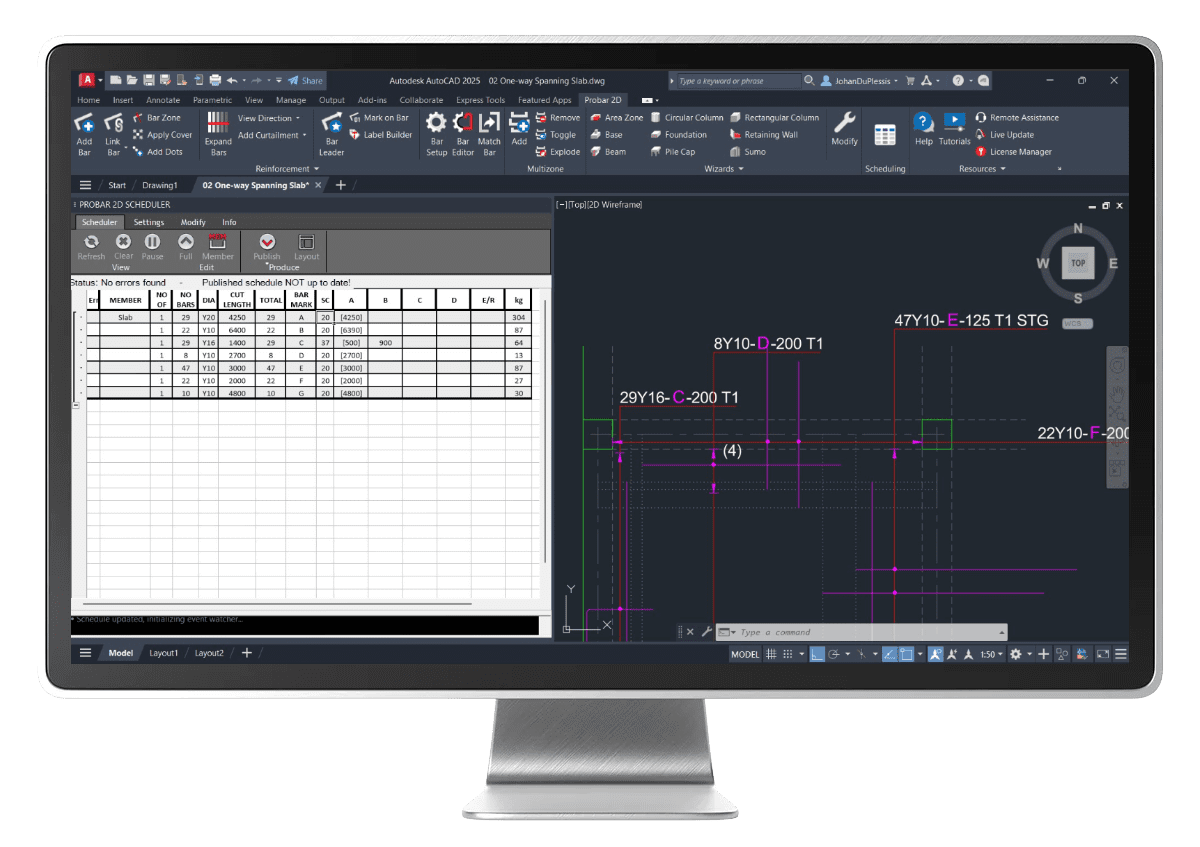
Schedule Palette
The Scheduler reads all the rebar objects in the drawing, helps sort the information, and outputs the information in tables on the AutoCAD® drawing.
Benefits
The ultimate intuitive engineering software available on the market
Less ambiguity
Easy to understand
Reduction of manual work on the project
Familiar format of input for engineers
Example files are available to demonstrate the functionalities
Work Anywhere
Ability to work in any country with an extensive range of design codes
Increases efficiency and accuracy
Reduction of human errors
Reduced requirement of additional detailers (Labour)
Program layout follows the engineering workflow
Concrete Detailing
SANS 282 2004
SANS 282 2011
BS 8666 2005
Key Features
Large selection of rebar shapes
Create custom shapes
Live schedule
Wizards allow for automatic detailing of typical elements
Quick schedule publishing
Sharing and import of rebar shapes
Convert old text shape code lists to XML format
Supported Design Codes
SANS 282 2004
SANS 282 2011
BS 8666 2005